Cargo Runs With Elysium RR From Both Sides of the Road
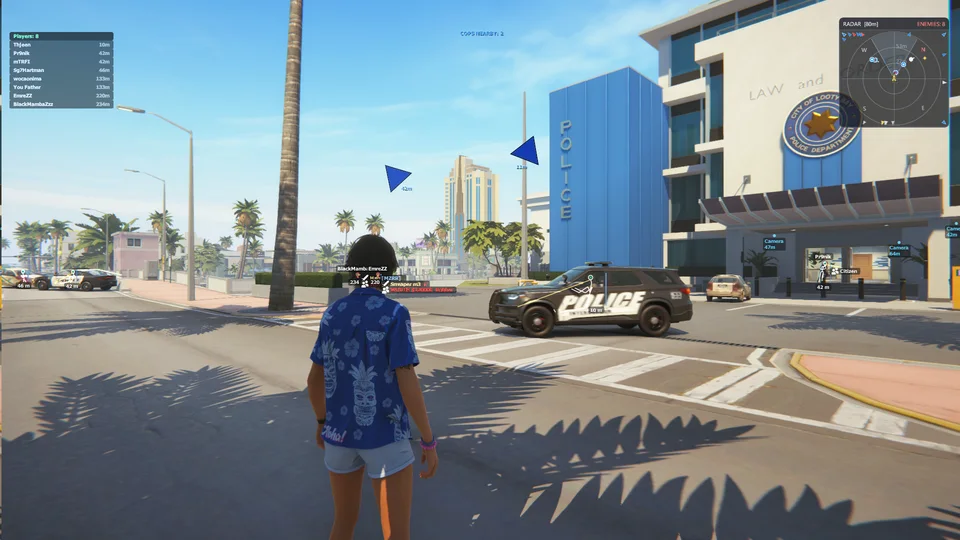
Hauling cargo is one of the quickest ways to make money in Rob Run, and it is also one of the quickest ways to lose it. A loaded car is a rolling prize, and every crew on the server would like to take it off you. Here at AimRobRun a good share of our community plays the roads, some as drivers and some as the people waiting at the junction. This guide explains which Elysium RR options matter on a cargo run, how to read them, and where the limits are.
The Vehicle Label: Every Line Explained
Press Home, pick the World tab and tick the Vehicles box. Each car the game has loaded for you gets a label. Here is what each line means:
- Name and Distance - which vehicle it is and how far away.
- Driver - the player behind the wheel.
- Occupants - each passenger, tagged with role and current weapon.
- Speed - how fast the car is moving right now.
- Engine - whether the engine is running or off.
- Owner - the player the vehicle belongs to, which is not always the driver.
- CARGO $x - the value of the cargo on board, shown only when the car is carrying some.
Of all these, the cargo line tells the story. An empty car parked outside a store is background noise. A car at full speed with a fat CARGO figure is a run in progress.
What the Label Cannot Tell You
We want buyers to know this before they spend a cent. Itemised boot contents, with a summed value, show up for a car you own or for any boot somebody has left open. For anyone else's closed trunk you get the cargo value and nothing more, because the server never sends the contents. No external, ours included, can work around that.
Range is the other limit. The ESP distance slider reaches far, but Rob Run decides how far out it sends cars and players, roughly 150 to 200 metres. A vehicle beyond that point simply has not arrived on your client yet.
Driver's Seat: Protecting a Load
Behind the wheel of a loaded car, think of the overlay as your lookout. A routine our support staff often suggest:
- Scout the route first - pull up the radar and check your planned streets for gatherings. Height markers make a crew sitting on a rooftop above a junction easy to spot.
- Know who is approaching - player ESP prints role tags, so a cop car looks different from a robber crew long before it reaches you.
- Add Cop Alert Arrows - an Aimbot tab option that pins small blue pointers to the edge of your view, aimed at officers within a distance you set.
- Mind your own value - whatever you haul adds to your WORTH $x figure, and a high number paints a target on your back. Skip side trips until you have sold.
- Choose the sell spot wisely - sell spots are a World Markers option. The quiet one across town often beats the nearest one on a busy street.
Interceptor's Seat: Picking the Right Car
Taking cargo is mostly about choosing well. A few things to compare before you commit:
- Cargo against risk - a slow car with one passenger and a decent CARGO value is a cleaner job than a fast car holding three armed players.
- Owner against driver - some crews run cargo in a borrowed vehicle, and the two fields tell you who you are really dealing with.
- Armor bars - other players' health is never sent by the game, so it cannot be shown. Armor comes through, and it gives you a rough idea of how long a fight will last.
- Engine off - a stopped car with a cold engine usually means the driver stepped out to sell or loot. That is your window.
After the Crash: Dropped Cargo on the Ground
Chases rarely end tidily. Wrecks and knocked-down carriers leave goods scattered on the tarmac. Loot ESP gives dropped cargo a label of its own, separate from bags, crates and containers, which makes a spilled load easy to track down in a ditch or behind a building.
Two settings help here:
- Min Loot Rarity - raise it to cut low-value loot away so the dropped cargo label stands out. The colour scale is covered in our loot rarity guide.
- Event cargo marker - event cargo has a separate entry in World Markers. Those spots draw a crowd, so expect company when one appears.
Battle Mode for High-Speed Chases
Store timers, cameras and loot labels across your windscreen are the last thing you want in the middle of a pursuit. Battle Mode strips the overlay down to player ESP and cars with someone inside. Loot, markers, cameras and the roulette panel disappear, and a red "BATTLE MODE" label stays on screen so you do not forget it is on.
Give it its own key in the Hotkeys section of the Config tab. Tap it when the chase starts and tap it again once you are parked and searching for cargo that fell out.
Cheat Sheet for the Road
| Moment | What to switch on |
|---|---|
| Planning the route | Radar and player role tags |
| Police on your tail | Cop Alert Arrows and Battle Mode |
| Choosing a target | CARGO $x, occupants, speed |
| Car has just crashed | Loot ESP with dropped cargo |
| Cashing in | Sell spot markers |
Honest Limits and Ban Risk
Everything on a vehicle label is read from data your game already holds. Our tool has no way to create cargo, boost what a buyer pays, tune your engine or carry you to the sell point. The server controls all of that.
Using a cheat of any kind puts your account at risk of a ban, and your driving habits shape that risk. Driving straight to the one loaded car hidden behind a warehouse every single time is the sort of pattern other players report. Let your routes look like normal driving and take some of the visible targets too.
For a shorter explanation of the car overlay, see our FAQ on cargo ESP. If you spend more time in uniform than in a getaway car, the police side guide is the next read. Take a look at the status page ahead of purchase, and our support team is happy to help with anything unclear.