What Every Loot Colour Means in Elysium RR
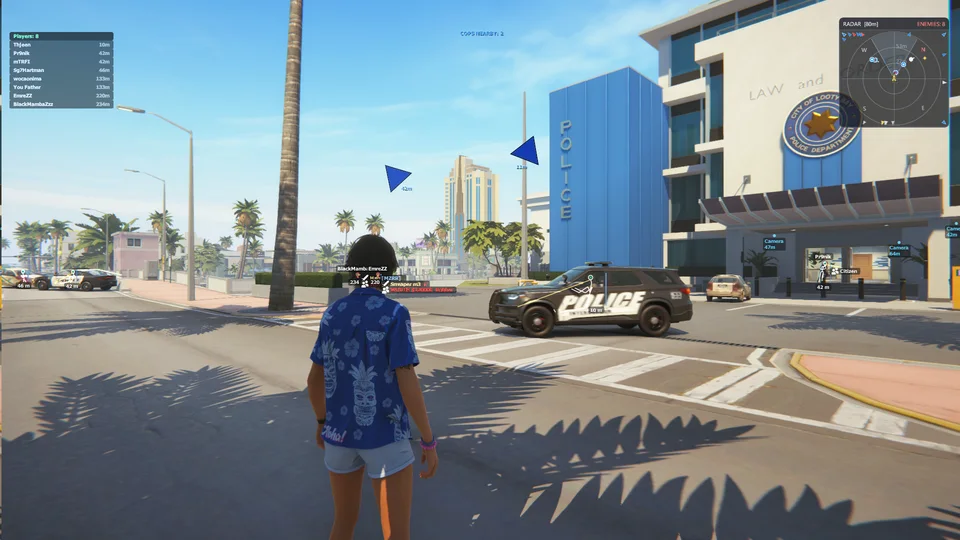
Switch on loot ESP in a Rob Run city for the first time and the screen lights up like a festival. Crates, bags and shelves all glow at once. Each hue stands for something, and learning the order lets you filter away rubbish so only promising labels remain. Here at AimRobRun it is one of the first things new members ask our support staff about, so this guide covers the rarity scale, the item tiers that sit on top of it and the filters that keep your view clean.
The Colour Scale: Grey to Red
Elysium RR paints every loot label in the game's own rarity order:
- Grey - Common - filler you will step over all day.
- Green - Uncommon - frequent enough that you stop noticing it after one session.
- Blue - Rare - decent finds, a reasonable default floor for normal play.
- Purple - Epic - this is where a short detour starts paying off.
- Gold - Legendary - uncommon on any server, often worth changing your route for.
- Red - Exotic - the top of the scale. Spot one and it is usually worth dropping your current plan.
Prices on each label use commas as separators, so large values read at a glance. A gold item marked $1,375,000 is hard to misread, where the same digits run together would need a second look.
Two Filters, Two Questions
Elysium RR gives you two separate filters. Each answers a different question about an item.
Min Loot Rarity asks "how rare is it?" and hides everything below the rarity you choose. Pick Rare and the grey and green labels disappear. Pick Legendary and only gold and red remain.
Min Item Tier asks "what grade is it?" and was added in the 24 November build. Items carry a tier tag:
- T1 - drawn in green
- T2 - drawn in purple
- T3 - drawn in yellow
The filter hides anything below the tier you set.
Avoiding the Colour Mix-Up
Here is where people get tangled. Two tier colours reuse rarity colours. A green label means Uncommon, yet a green T-tag means T1. Likewise, a purple label marks Epic while a purple T-tag marks T2.
The trick is to read them as two separate pieces of information:
- The label colour - tells you the rarity.
- The T-tag - tells you the grade.
A T1 Epic and a T3 Rare might both earn a place in your bag. Running both filters lets you decide which matters more to you.
What Gets Coloured on Your Screen
Loot ESP covers more than items on the floor. Each of these gets a coloured label:
- Loot Bags - dropped bags of items.
- Loot Nodes - fixed spots that produce loot.
- Containers and Crates - boxes you can open and search.
- Random and Static Loot - spawn points that move and ones that stay put.
- Dropped Cargo - cargo lying on the ground, often the most valuable label around after a car chase.
Vehicle trunks work differently. You get an itemised list with a total for cars you own and for boots standing open. Any other shut boot shows nothing, as the server keeps its contents to itself.
Instant Loot Reveal: Faster Searching
In the Weapon tab you will find Instant Loot Reveal. It shortens the reveal time on your client when you search a container. Paired with a sensible rarity filter, looting gets a lot quicker: spot a gold label, walk over and open it without the usual wait. Most of our members turn it on once and leave it on.
Filter Presets for Different Sessions
| What you are doing | Min Loot Rarity | Min Item Tier |
|---|---|---|
| Learning where loot spawns | Common | T1 |
| Everyday looting | Rare | T1 |
| Robbery or busy street | Epic | T2 |
| Chasing only the big pieces | Legendary | T3 |
Adjust from there to taste. Plenty of members pair a loose rarity floor with a tight tier floor, and some flip that around.
Keeping the Screen Readable
Of all the overlay options, loot is the one that crowds out player boxes fastest. These habits keep player boxes visible when it counts:
- Raise the floor before a fight - a person with a gun matters more than a blue crate.
- Bind Battle Mode - one key hides loot, markers and cameras and leaves player ESP plus occupied vehicles, with a red BATTLE MODE label. Press it again afterwards to bring loot back.
- Trim world markers - camera, safe and restock labels pile onto the loot ones. Turn on only the ones your plan needs.
- Be realistic with distance - the ESP slider goes far, but the game only streams nearby objects, so a huge value adds little.
Box styles and the ESP Responsiveness slider are covered in our guide to ESP on crowded servers.
Loot Colours and Growing Bushes
Plants have their own labels with growth stage and value, separate from the rarity colours. They live in the same World tab with their own toggle. Our bushes guide explains how to read those.
Honest Limits and Ban Risk
The colours are read from information Rob Run has already delivered to your PC. Creating items, rerolling a crate or bumping a price is out of reach for our tool. Anything outside the game's streaming range appears only once you get closer.
Using any cheat carries a ban risk. Ignoring a row of grey boxes night after night to open the lone gold crate behind a wall is a habit that gets reported. Loot like a player who knows the map well, not like one who sees through it.
A condensed answer sits under what loot ESP covers, and every World tab toggle is listed on the full feature list. Look over build status before you order, and drop our team a message if something needs explaining.